Everything is designed to make your life easier
With AURORA 2.0, you are not buying a bare electronic box that still needs completing. You get a complete solution, designed to save you research, software development and complicated settings.
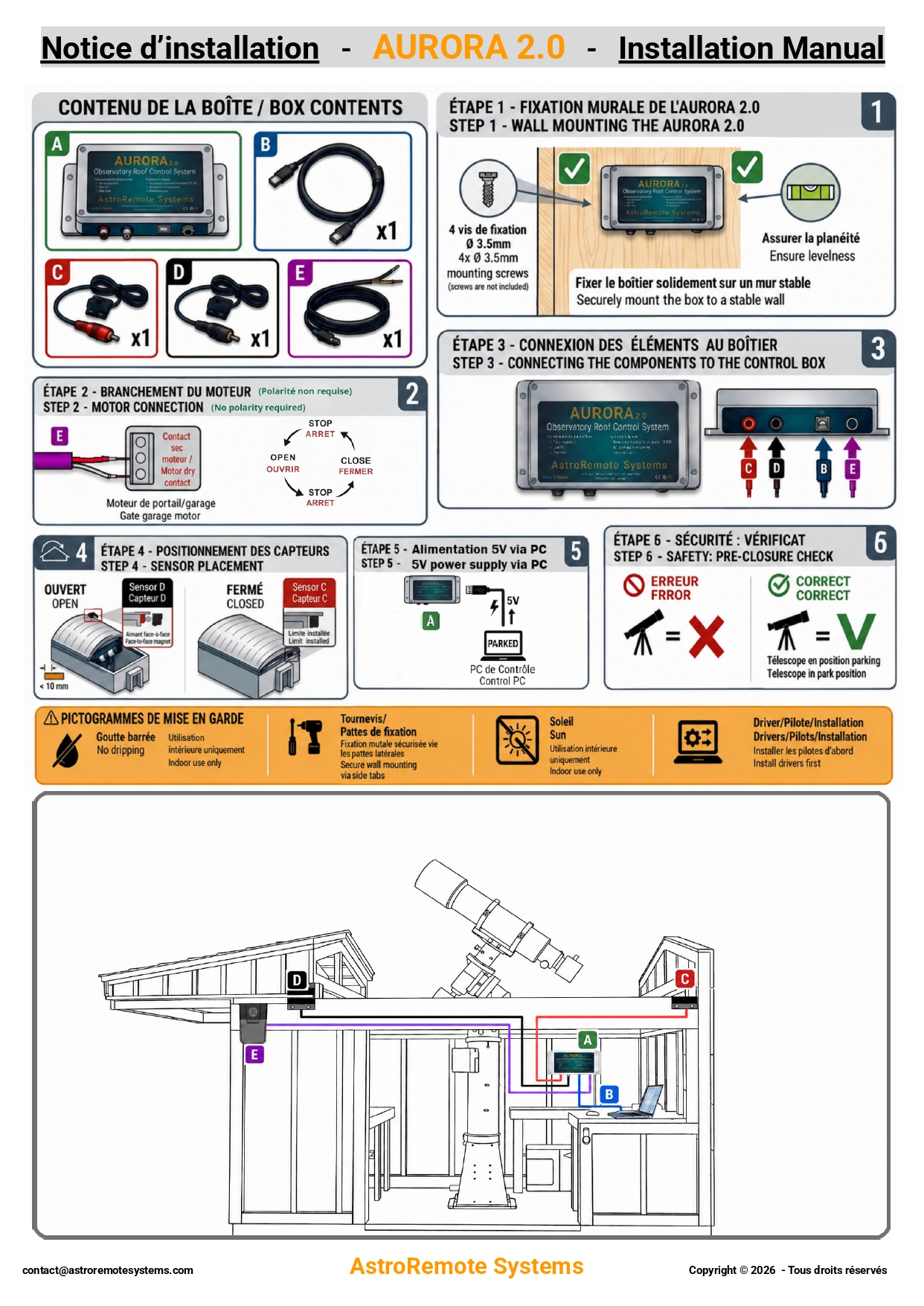
In the box:
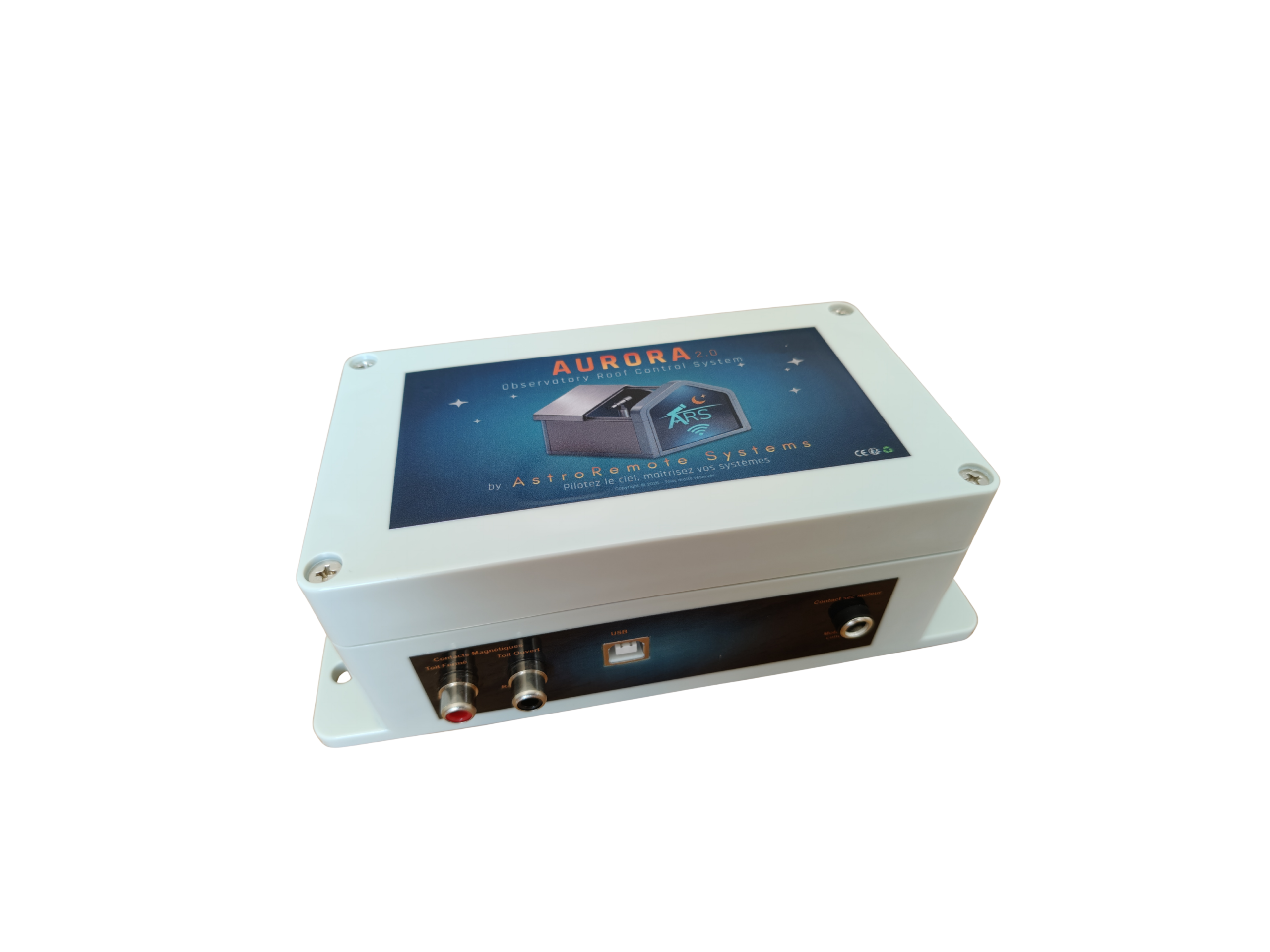
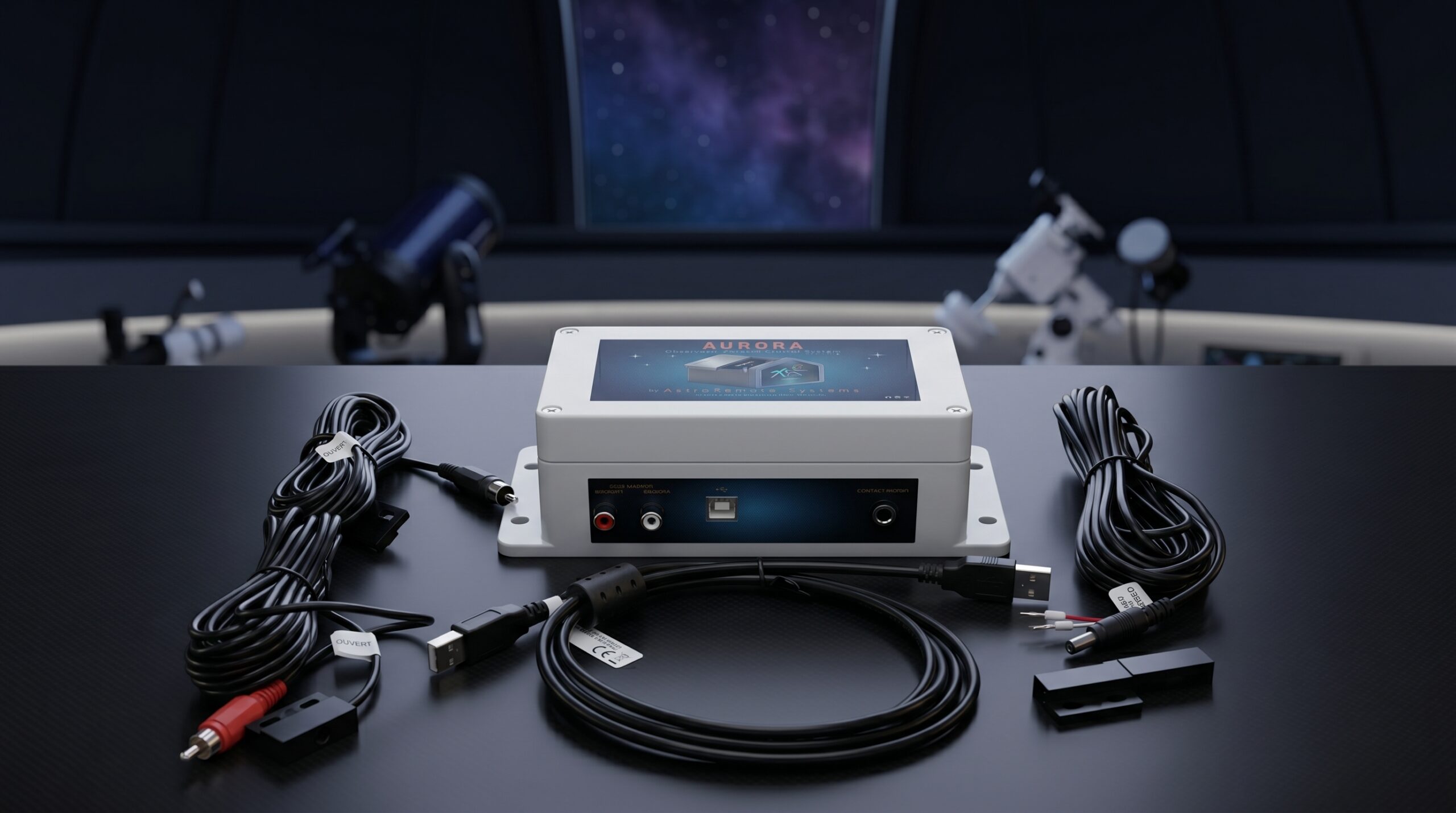
- the AURORA 2.0 controller, wall-mountable;
- 2 magnetic sensors, with 2 × 5 m cables;
- the motor connection cable (dry contact), 5 m;
- the 1.80 m USB cable, which also powers the controller.
Download right after purchase:
- one single installer, which installs both the ASCOM driver and AURORA 2.0 Utility in one go;
- the installation and user manual, in English and French.
Up and running in 3 steps:
- Install: mount the two sensors and the controller, then connect the cable to your motor’s dry contact.
- Connect: plug the controller into your PC via USB and run the AURORA 2.0 installer.
- Automate: select your roof in N.I.N.A. or AURORA 2.0 Utility, then connect.
Once your roof is motorized, installing AURORA 2.0 takes 1 to 2 hours. The roof mechanics and the gate motor are not part of the product.
Safety, built in at every step
Automating a roll-off roof is not just about opening and closing it remotely. It is also about anticipating the unexpected.
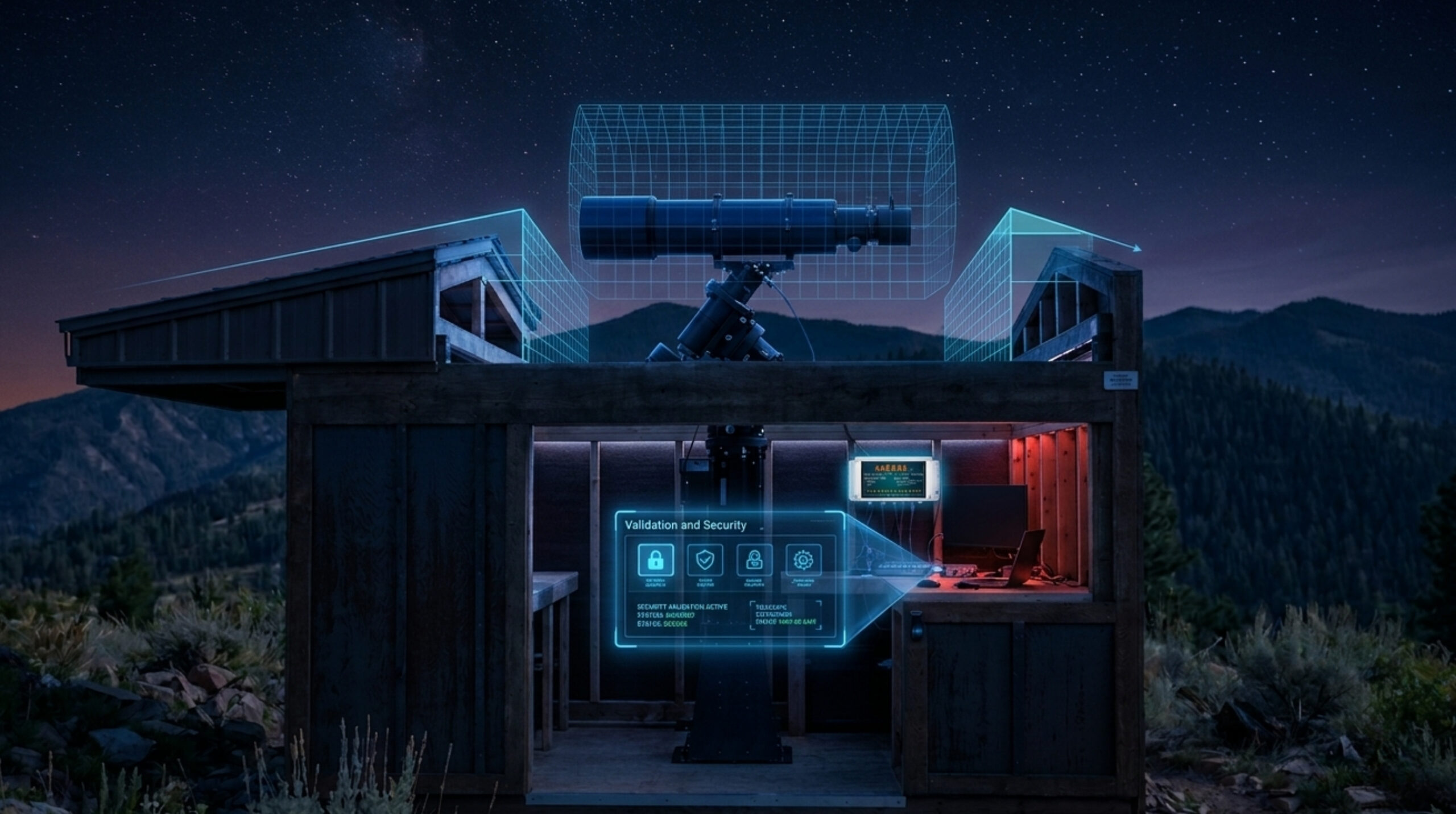
AURORA 2.0 includes 25 protections across 4 levels, from the controller to the control software, all the way to the update process.
- Controller: authenticity check, automatic restart if it ever freezes, no stray pulse to the motor.
- ASCOM driver: parked telescope safety, detection of inconsistent states and handling of connection losses.
- AURORA 2.0 Utility: command coordination and movement monitoring.
- Updates: file verification and safety conditions checked before installation.
The goal: not just commanding a movement, but planning how the system reacts when things don’t go as expected.
What AURORA 2.0 checks for you
The roof safety logic is built in. There is nothing to program.
At every connection:
- the controller and the software authenticate each other: only a genuine AURORA 2.0 controller is accepted;
- if the roof was moving when the connection was made, its position is treated as unknown and no command is sent;
- only one application controls the roof at a time. When N.I.N.A. connects, AURORA 2.0 Utility automatically switches to read-only.
Before every movement:
- when enabled, the parked telescope safety blocks any opening or closing until the telescope is parked. It works with your ASCOM mount, with no extra sensor;
- if the mount is off or unreachable, the movement is refused as a precaution;
- this safety cannot be enabled without selecting a mount, so you never get a false sense of protection.
During movement:
- conflicting commands are blocked;
- after an emergency stop, only the reverse command is offered, to bring the roof back to a known position;
- a movement lasting more than 4 minutes, or both sensors active at the same time, puts the roof in an error state and blocks all commands;
- AURORA 2.0 Utility reports any abnormal movement with an alert.
If something goes wrong:
- a USB interruption of less than 30 seconds is absorbed: reconnection is automatic and N.I.N.A. stays connected;
- beyond 30 seconds, the link loss is reported to N.I.N.A.;
- an alert on one observatory never blocks the others.
During updates:
- every update is signed, and verified before it is installed;
- nothing is installed while an observatory is connected, or without your approval;
- the controller is only updated with the roof closed and no other application connected.
Software that keeps itself up to date
Automatic updates:
- AURORA 2.0 Utility checks every day for a new version of the driver, the utility, and the controller firmware.
- One click installs it: you never have to search for or download a new version, nor send your controller back.
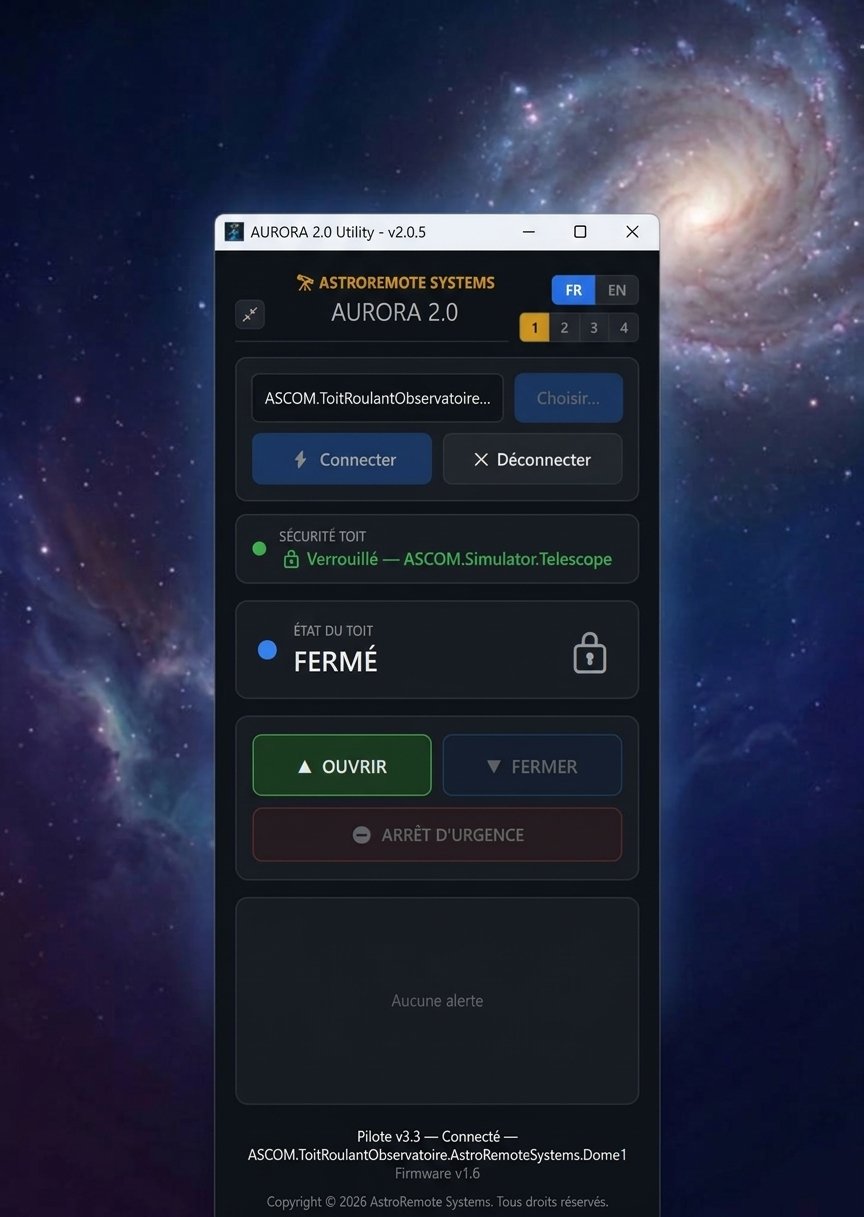
AURORA 2.0 Utility:
- 1 to 4 observatories in a single window;
- real-time status of each roof, Open, Close and Stop commands, and a clear alert area;
- an adjustable window size that is remembered;
- an English or French interface.
ASCOM Dome driver:
- up to 4 controllers on the same PC;
- an emergency stop command that can be enabled or disabled for each observatory;
- integration optimized for N.I.N.A., and compatibility with SGP, Prism and any ASCOM Dome software.
Is AURORA 2.0 right for you?
Yes, if:
- your roll-off roof is already motorized, or will be, by a gate or garage motor with a dry contact input (open / stop / close / stop);
- you use N.I.N.A. or another ASCOM application on Windows;
- you want to automate your roof quickly, without mains wiring, network setup or programming;
- you run several observatories from the same PC, up to 4.
No, if:
- you use macOS or Linux (INDI): AURORA 2.0 runs on Windows;
- you need a standalone controller that works without a PC: AURORA 2.0 is driven by your observatory PC;
- your motor cannot be controlled by a dry contact.
Technical specifications
| Origin | Designed and made in France |
| Power supply | USB2 type B, 5 V DC / 500 mA (no external power supply) |
| Inputs | 2 magnetic sensors (open / closed) |
| Motor output | Dry contact |
| Motor functions | Open / Stop / Close / Stop (emergency stop can be enabled) |
| Software | Single installer: ASCOM Dome driver + AURORA 2.0 Utility |
| Updates | Automatic: driver, utility and controller firmware (Internet needed for updates only) |
| Operating systems | Windows 10 (version 1803 or later) and Windows 11 |
| Requirement | ASCOM Platform 6.5 or later (free) |
| Compatible software | N.I.N.A., SGP, Prism and any ASCOM Dome application |
| Multiple observatories | Up to 4 controllers on the same PC |
| Enclosure | 19.2 × 9.0 × 6.5 cm, wall-mounting tabs (4 × Ø 3.5 mm screws) |
| Use | Controller for indoor installation, inside the observatory |
Package contents:
- 1 × AURORA 2.0 controller;
- 1 × USB2 type A to type B cable, 1.80 m;
- 1 × kit of 2 magnetic sensors, with 2 × 5 m cables;
- 1 × motor dry-contact connection cable, 5 m;
- Digital access: AURORA 2.0 installer (driver and utility) and EN/FR manual;
- Included service: dedicated technical support.
Frequently asked questions
Is AURORA 2.0 compatible with my motor?
Yes, if it is a gate or garage motor controlled by a dry contact, in sequential mode: open, stop, close, stop.
How long does installation take?
Once your roof is motorized, allow 1 to 2 hours to mount the sensors and the controller, connect the motor, plug in the USB cable and install the software.
Can I use it with N.I.N.A.?
Yes. AURORA 2.0 is ASCOM Dome compatible and optimized for N.I.N.A.: open and close the roof in your sequences, with the parked telescope safety.
Does it work without Internet?
Yes. Roof control is fully local, through your PC. The Internet is only used for automatic updates, which are optional.
Does the PC need to stay on?
Yes. AURORA 2.0 is driven by your observatory PC, like the rest of your N.I.N.A. session. Weather-triggered closing is handled by your N.I.N.A. routines.
What happens if the USB cable is disconnected?
An interruption of less than 30 seconds is absorbed, with automatic reconnection. Beyond that, N.I.N.A. is notified of the link loss.
How do updates work?
AURORA 2.0 Utility offers the new version through a simple link. It is verified, then installed in one click. The controller is updated the same way, with the roof closed.
Can I control several observatories?
Yes, up to 4 controllers on the same PC. They appear side by side in AURORA 2.0 Utility and separately in N.I.N.A.
Is it compatible with macOS or Linux?
No. AURORA 2.0 runs on Windows 10 (version 1803 or later) and Windows 11.
Is it suitable for a DIY observatory?
Yes. AURORA 2.0 fits easily into custom or self-built observatories, with no development work on your side.
Need help getting started?
👉 Tutorial #1: Download, Installation, and Config. Single & Multi-Instance Connections
👉 Tutorial #2: Control Multiple Observatories with Aurora N.I.N.A. 🚀 Multi-Instance Demo
👉 Tutorial #3: Aurora 2.0 Multi-Instance Utility 🚀 Control 4 Observatories Simultaneously
👉 Tutorial #4: Aurora 2.0 + N.I.N.A. 🚨 Telescope Parked Safety: Real-World Test
👉 Tutorial #5: Aurora 2.0 + N.I.N.A. 🚀 Multi-Instance: 2 Observatories on a Single PC
Further reading
- N.I.N.A. (Nighttime Imaging ’N’ Astronomy): the free astrophotography software AURORA 2.0 is optimized for.
→ nighttime-imaging.eu - ASCOM Platform: the free platform, required on Windows, that lets your software control your roof, mount and camera.
→ ascom-standards.org - AURORA 2.0 or DIY: which is the right choice to automate your roll-off roof? Thinking of building your own controller? Compare cost, setup time, safety and support honestly.
→ Read our comparison : AURORA 2.0 or DIY solution: Which is the right choice for automating your Roll-Off-Roof?

Pascal H. –
Top pour les sessions N.I.N.A.
Franchement, rien à redire. L’installation s’est faite sans prise de tête. La communication avec N.I.N.A. est fluide et la sécurité “télescope parké” apporte une vraie sérénité et un sacré confort. Je suis super content de mon observatoire et de cet achat.
Sergio C. –
L’attrezzatura fa bene il suo dovere. I driver si installano facilmente e la sicurezza per la posizione Park è al top. Un investimento che vale la pena.
Dominique S. –
Tout est ok.
Roland P. –
Le contrôleur tourne depuis 3 semaines et j’en suis très content. Je le recommande sans soucis.
Jürgen B. –
Gut angekommen. Alles ist in Ordnung.
Jean-Pierre R. –
Reçu, installé et testé dans la même journée. Les premiers essais avec NINA ont été concluants. Très satisfait !
Michael S. –
I was hesitant to motorize my shed roof, but AURORA 2.0 made everything easier than I imagined.
Stephane G. –
Le pilote ASCOM fonctionne nickel. Mise en route rapide.
Jean-Luc F. –
Produit reçu rapidement et très bien emballé.
L’installation a été simple et tout fonctionne parfaitement.